Fairhaven MCA2.4
Publisher Description


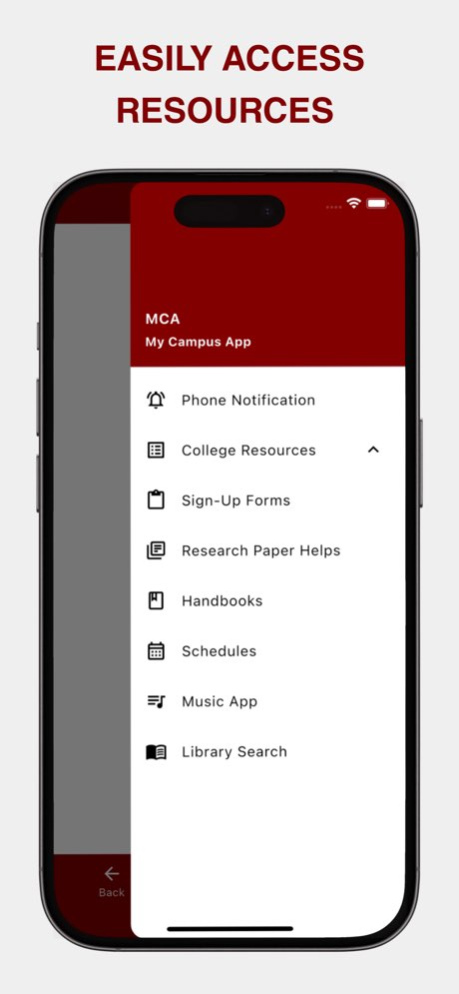
Designed for students and faculty of Fairhaven Baptist College, this app makes it easy to access important academic information, stay organized, and receive real-time updates all in one place.
Key Features
Attendance Tracking - View attendance records and stay informed about class participation.
Class Materials & Assignments - Access course resources, assignments, and updates from your instructors.
Academic Calendar - Keep track of important dates, schedules, and campus events.
Billing & Invoices - Conveniently view tuition statements, billing information, and invoices.
Push Notifications - Receive instant alerts about announcements, schedule changes, deadlines, and important updates.
Centralized Student Information - Quickly access key academic and administrative details from your mobile device.
This app is a tool provided by Fairhaven Baptist College to access our institution’s educational web portal. While the core portal content is securely displayed through a web browser wrapper, the app also includes optional features such as push notifications. Users may choose to receive updates or announcements via notifications powered by Google Firebase. Other than this optional functionality, the app does not collect or store personal data, and it is not linked in any way to the software systems displayed within the portal. All trademarks, service marks, and logos referenced in this app remain the property of their respective owners.
Version History New College Logo! 2.4 Sep 1 Minor bug fixes. 2.3 Mar 5 Bug fixes and improved navigation buttons. 2.2 Jan 15 New status bar color and bug fixes. 2.1 10/05/2025 2.0 10/02/2025
About Fairhaven MCA
The company that develops Fairhaven MCA is Fairhaven Church (Chesterton). The latest version released by its developer is 2.4.
To install Fairhaven MCA on your iOS device, just click the green Continue To App button above to start the installation process. The app is listed on our website since 2026-10-07 and was downloaded 0 times. We have already checked if the download link is safe, however for your own protection we recommend that you scan the downloaded app with your antivirus. Your antivirus may detect the Fairhaven MCA as malware if the download link is broken.
How to install Fairhaven MCA on your iOS device:
- Click on the Continue To App button on our website. This will redirect you to the App Store.
- Once the Fairhaven MCA is shown in the iTunes listing of your iOS device, you can start its download and installation. Tap on the GET button to the right of the app to start downloading it.
- If you are not logged-in the iOS appstore app, you'll be prompted for your your Apple ID and/or password.
- After Fairhaven MCA is downloaded, you'll see an INSTALL button to the right. Tap on it to start the actual installation of the iOS app.
- Once installation is finished you can tap on the OPEN button to start it. Its icon will also be added to your device home screen.
Program Details
System requirements
Download information
Pricing
Version History
version 2.4
posted on 2026-10-07
Version History New College Logo! 2.4 Sep 1 Minor bug fixes. 2.3 Mar 5 Bug fixes and improved navigation buttons. 2.2 Jan 15 New status bar color and bug fixes. 2.1 10/05/2025 2.0 10/02/2025
version 2.4
posted on 2026-09-04
Version History New College Logo! 2.4 2d ago Minor bug fixes. 2.3 Mar 5 Bug fixes and improved navigation buttons. 2.2 Jan 15 New status bar color and bug fixes. 2.1 10/05/2025 2.0 10/02/2025
version 2.3
posted on 2026-08-22
Version History Minor bug fixes. 2.3 Mar 5 Bug fixes and improved navigation buttons. 2.2 Jan 15 New status bar color and bug fixes. 2.1 10/05/2025 2.0 10/02/2025
version 2.3
posted on 2026-03-05
Minor bug fixes.
